

Cyber Insurance Requirements for Small Businesses in 2026: Why Claims Get Denied
Cyber insurance has gone mainstream for small companies. In the 2026 Travelers Risk Index, half of small businesses said they carry a cyber policy, up from 43% a year earlier. That makes sense: the 2026 Verizon Data Breach Investigations Report found that small and midsize businesses made up about 96% of ransomware victims where the victim’s size was known.
But buying a policy is the easy part. Today’s cyber insurance requirements read more like a security audit than an application, and if your answers don’t match what’s actually running on your network, the policy may not pay when you need it most. Here’s what insurers check, why claims get denied, and how a Turlock business can get ready before its next renewal.
In this guide:
- What cyber insurance covers
- What are the cyber insurance requirements in 2026?
- Why cyber insurance claims get denied
- What a claim costs
- Why speed matters in California
- How to get insurance-ready
- Where your IT provider fits in
- FAQs
What Cyber Insurance Covers (and What It Doesn’t)
Most small business cyber insurance policies combine two kinds of protection:
- First-party costs: forensic investigation, data restoration, customer notification, ransom negotiation, and lost income while systems are down.
- Third-party liability: legal defense, settlements, and regulatory fines when customers or partners are affected by your breach.
What a policy leaves out matters just as much. Many cap social engineering and funds transfer fraud at a much lower sublimit than the headline amount, exclude losses from known but unpatched vulnerabilities, or refuse incidents that started before the policy took effect. Read the exclusions page before you read the coverage page.
What Are the Cyber Insurance Requirements in 2026?
Cyber insurance requirements are the security controls an insurer expects a business to have in place before it will issue, renew, or pay out on a policy. Questionnaires vary by carrier, but nearly every application now asks about the same core controls:
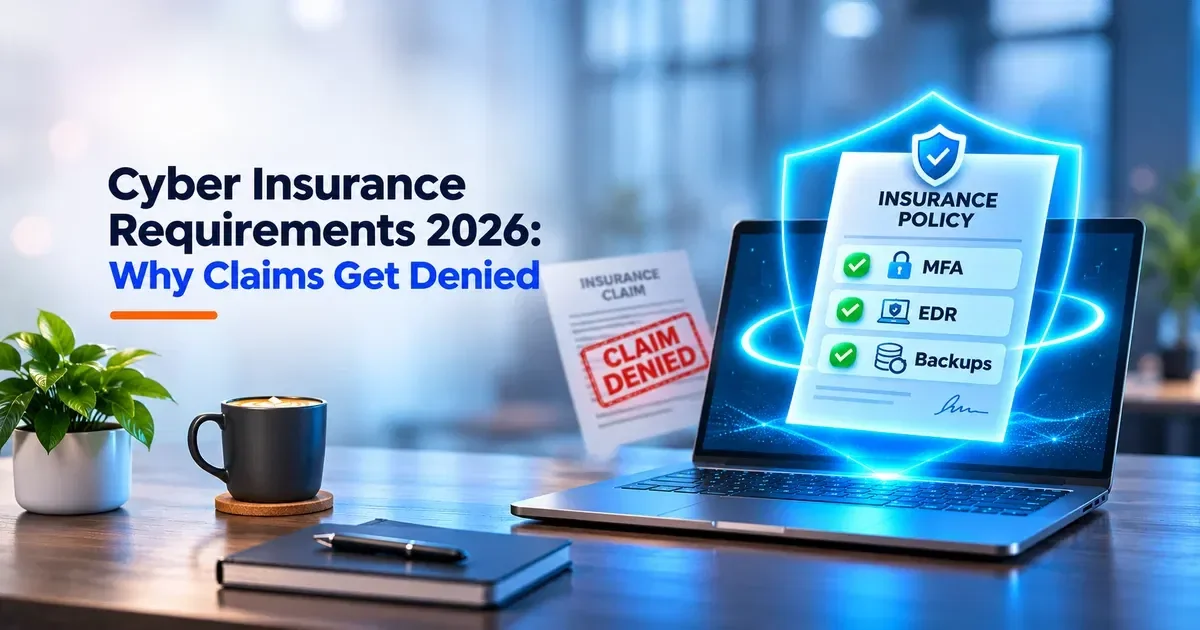
- Multi-factor authentication (MFA) on email, remote access (VPN, remote desktop), cloud apps, and every admin account
- Endpoint detection and response (EDR) on every laptop, desktop, and server, with someone actually watching the alerts
- Backups that are offline or immutable, separated from your main network, and tested with real restores
- Regular patching, especially for internet-facing systems like firewalls, VPNs, and websites
- Security awareness training with phishing simulations
- A written incident response plan that names who calls whom when something goes wrong
The big shift in the last few years is from “do you have it?” to “prove it.” Underwriters increasingly ask for screenshots, reports, or scan results instead of a simple yes or no.
Why Cyber Insurance Claims Get Denied
Most denials don’t come from fine print nobody could have spotted. They come from gaps between the cyber insurance requirements a business signed off on and what was actually running.
- The application didn’t match reality. In a well-known 2022 case, Travelers sued to rescind a $1 million cyber policy after a ransomware attack at International Control Services, an Illinois electronics manufacturer. The application said MFA was in place, but the investigation found it protected only the firewall, not the server that was hit. Both sides agreed to void the policy, leaving the company with no coverage at all.
- Controls were only partly rolled out. MFA on Microsoft 365 but not on the old VPN account, or EDR on office PCs but not the server in the closet. To an insurer, “mostly” can look the same as “no.”
- Backups were never tested. A backup that fails to restore can’t shorten an outage, and the business interruption claim grows every day you’re down.
- The insurer was notified late, or the wrong vendors were hired. Many policies require prompt notice and the use of the carrier’s approved incident response firms. Hiring your own forensics team first can reduce what gets reimbursed.
- The loss fell under a sublimit or exclusion. This is common with email fraud. Business email compromise and funds transfer fraud made up 58% of claims in Coalition’s 2026 Cyber Claims Report, which is exactly the type of loss many policies cap. Our guide to business email compromise explains how these scams work.
What a Claim Costs When Things Go Wrong
The numbers show why insurers are strict. According to Coalition’s 2026 Cyber Claims Report, which draws on more than 100,000 policyholders, the average cyber claim loss in 2025 was $116,000, while ransomware claims averaged $269,000.
Good controls change that math. Verizon’s 2026 DBIR found that 69% of ransomware victims didn’t pay a ransom at all, and reliable, tested backups are what make that choice possible. A business that can restore its own data in hours has a much smaller claim, and a much easier renewal, than one that has to negotiate with criminals.
Why Speed Matters More for California Businesses
Since January 1, 2026, California’s updated breach notification law (SB 446) requires businesses to notify affected California residents within 30 calendar days of discovering a breach. If more than 500 residents are affected, a sample notice must also go to the Attorney General within 15 days of notifying those residents.
Thirty days goes fast when you’re still working out what was taken. This is where cyber insurance earns its premium: most policies include a breach coach and forensic team who can start right away. But they can only move as fast as your logs, backups, and documentation allow. (This is general information, not legal advice. Talk to an attorney about your specific obligations.)
How to Get Insurance-Ready Before Your Next Renewal
Start at least 60 days before your renewal date. Meeting cyber insurance requirements properly takes weeks, not days, especially rolling out MFA and EDR.
- List every way into your systems. Email, VPN, remote desktop, cloud apps, vendor portals, and old service accounts. The forgotten login is the one attackers find.
- Enforce MFA on all of them. Our password manager and MFA guide covers how to roll it out without slowing your team down.
- Put EDR on every device and get it monitored. Alerts nobody sees at 2 a.m. don’t stop ransomware. Remote IT monitoring and support fills that gap without a full-time security hire.
- Fix your backups and test a restore. Follow the 3-2-1 rule with at least one immutable or offline copy. See our backup and disaster recovery services, and don’t assume your cloud apps are covered: Microsoft 365 doesn’t back up your data the way most people think.
- Write a one-page incident response plan. Include your insurer’s claims hotline, your IT provider, and who has authority to make decisions.
- Save the evidence. Keep MFA enrollment reports, EDR dashboards, backup test logs, and training records in one folder.
- Have IT review the questionnaire before you sign. The owner signs it, but the technical answers should come from whoever manages the systems.
Where Your IT Provider Fits In
Insurers treat the application as a promise, and your IT provider is the one who can tell you whether that promise is true. A good managed IT partner should be able to check your setup against each of the insurer’s cyber insurance requirements, answer the questionnaire line by line, close the gaps it finds, and hand you the reports that prove each control is working. That’s a core part of our cybersecurity services for Central Valley businesses.
Frequently Asked Questions
Q1: Is cyber insurance required for small businesses in California?
No state law requires it, but clients, landlords, and larger partners increasingly write it into their contracts. Some businesses can’t win certain jobs without proof of coverage.
Q2: How much does cyber insurance cost for a small business?
Small business cyber insurance premiums depend on your industry, revenue, coverage limits and, more than anything, your security controls. A business with MFA, EDR, and tested backups will usually get better terms than one without them, if it can get a quote at all.
Q3: Does cyber insurance pay ransomware demands?
Some policies cover ransom payments under cyber extortion coverage, often only with the insurer’s approval first. Many businesses never need to pay, because their backups let them recover on their own.
Q4: What happens if I answer the application wrong by mistake?
Even honest mistakes can lead to a denied claim or a canceled policy if the insurer decides the answer was material. If you’re not sure a control is fully in place, check with your IT team before answering.
Q5: Can our IT provider fill out the cyber insurance questionnaire for us?
Your IT provider shouldn’t sign it, but it should review every technical answer and supply the evidence behind it. That review is one of the simplest ways to protect a future claim.
Get Insurance-Ready Before Your Next Renewal
Cyber insurance is worth having, but only if it pays. If your renewal is coming up, or you’re applying for the first time, Vault Edge IT can check your current setup against today’s cyber insurance requirements and fix what’s missing. Start with a free cybersecurity audit or contact our Turlock team to talk through your policy questionnaire.
3 comments on “Cyber Insurance Requirements for Small Businesses in 2026: Why Claims Get Denied”